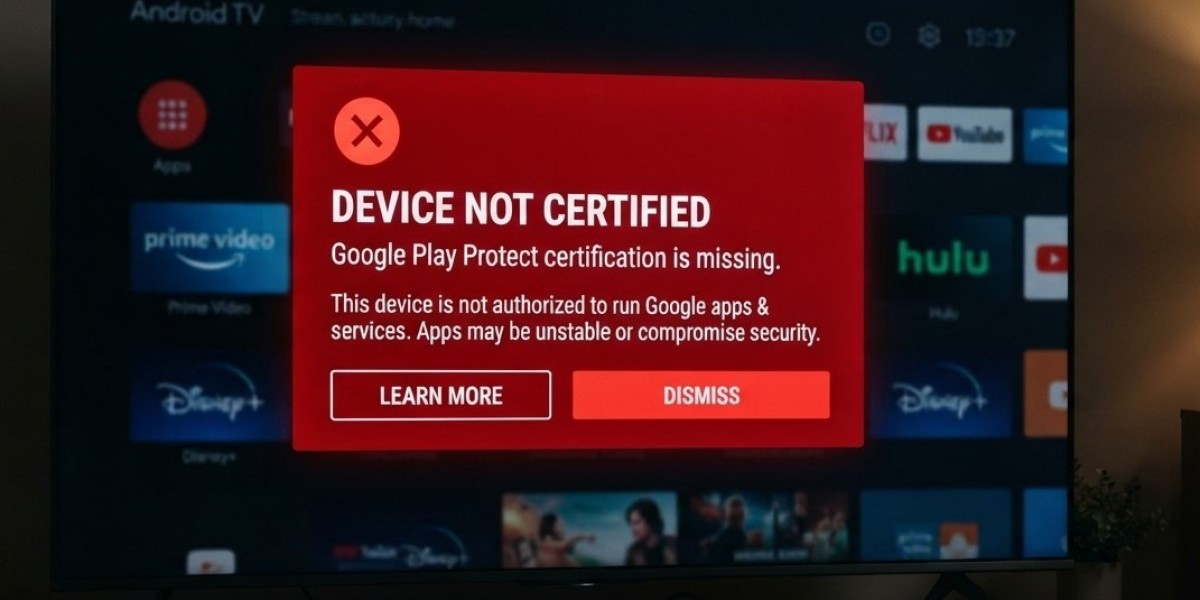

When setting up an Android streaming box, you may encounter messages such as “Device is not certified” or notifications from Google Play Protect. These warnings can be confusing, especially when your device appears to work normally and you can still open your favorite applications.
However, these messages are important because they relate to device compatibility, security, and Google's certification requirements. Whether you use IPTV India services or an Indian IPTV Box, understanding these warnings can help you make safer decisions when installing applications and choosing streaming equipment.
Table of Contents
What Does “Not Certified” Mean?
What Is Google Play Protect?
Does Device Certification Matter?
How to Check Your Streaming Box
What Should You Do If Your Box Is Not Certified?
Frequently Asked Questions
1. What Does “Not Certified” Mean?
A device marked as “not certified” has not passed Google's required compatibility and testing process for access to its certified Google services.
Google certification generally involves checking whether an Android device meets compatibility requirements and follows relevant security and software standards.
An uncertified streaming box may still turn on, connect to the internet, and run certain applications. However, it may not provide the same level of compatibility or reliability as a certified Android TV device.
Possible limitations include:
Some Google applications may not work correctly.
Certain apps may be unavailable through Google Play.
Streaming applications may have compatibility limitations.
Device updates and support may be inconsistent.
Some services may restrict playback or access.
Certification is particularly important when you depend on official Google services and supported streaming applications.
2. What Is Google Play Protect?
Google Play Protect is a security feature designed to help protect Android devices from potentially harmful applications.
It checks applications installed through Google Play and can also scan apps installed from other sources. Depending on the situation, it may warn you about suspicious software, block harmful applications, or recommend removing an unsafe app.
Its main functions include:
App Scanning
Play Protect checks applications for potentially harmful behavior and known security threats.
Security Warnings
If an application appears dangerous, you may receive a warning explaining the potential risk.
Harmful App Protection
Play Protect may disable or remove applications identified as harmful, depending on the threat and device configuration.
Importantly, a Play Protect warning and a device certification warning are not the same thing. One concerns application security, while the other concerns Google's device certification status.
3. Does Device Certification Matter?
Yes, particularly if you want reliable access to official Android and Google services.
A certified device generally offers better assurance that it meets Google's compatibility requirements. It can also provide a more predictable experience with supported applications and services.
An uncertified device is not automatically infected or unsafe. However, its software quality, update practices, and application compatibility may be less predictable.
Before purchasing a streaming box, check:
Whether it is certified for Google services.
Whether it officially supports Android TV or Google TV.
Whether the manufacturer provides security updates.
Whether required streaming applications are supported.
Whether the seller offers a genuine warranty and support.
Avoid assuming that every box advertising an Android operating system is an officially certified Android TV device.
4. How to Check Your Streaming Box
You can perform a few basic checks to understand your device's status.
Check Play Protect certification:
Open the Google Play Store.
Select your profile icon.
Open Settings.
Expand the About section.
Look for Play Protect certification.
The screen may indicate whether your device is certified.
Check Play Protect scanning:
Open the Google Play Store.
Select your profile icon.
Choose Play Protect.
Review the latest scan results.
Follow any security recommendations.
Menu names may vary depending on the Android version and device manufacturer.
5. What Should You Do If Your Box Is Not Certified?
If your streaming box displays a certification warning, take a careful approach.
Check the manufacturer: Confirm whether the device is supposed to be Google-certified.
Install official updates: Use firmware provided by the manufacturer.
Avoid modified software: Unofficial firmware can introduce security and compatibility problems.
Review installed applications: Remove unfamiliar or suspicious apps.
Contact the seller: Ask for clarification if the device was advertised as certified.
Consider replacement: If Google services are essential and the manufacturer cannot resolve the issue, choose a properly certified device.
Do not disable security protections or follow unknown online instructions simply to remove a warning. Making the warning disappear does not necessarily make the device safer or certified.
6. Frequently Asked Questions
Does an uncertified streaming box still work?
Yes. Some basic functions and applications may work, but certain Google services and streaming applications may have compatibility limitations.
Is Play Protect the same as Google certification?
No. Play Protect scans applications for security threats, while certification indicates whether a device meets Google's compatibility requirements.
Does a certification warning mean my box has a virus?
No. An uncertified-device warning does not automatically mean malware is present. However, you should review the device's software and security practices.
Can I use IPTV applications on an uncertified box?
Some applications may work, depending on their compatibility requirements. Check the application's official support information and use trusted installation sources.
Should I buy a streaming box that is not certified?
If you need Google Play services, reliable application compatibility, and regular security support, a certified device is generally the safer choice.
Conclusion and Call to Action
“Not certified” and “Play Protect” messages indicate different things, but both are worth understanding before relying on a streaming box. Certification relates to Google's device compatibility requirements, while Play Protect helps identify potentially harmful applications. Checking both can help you make better decisions about device security and long-term reliability.
For more information about streaming technology, device compatibility, and safer viewing practices, explore IPTV India and learn more about choosing the right Indian IPTV Box. Choose compatible equipment, install trusted applications, and keep your streaming setup updated.